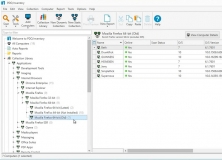
v19.3 [Mar 22, 2021]
New Features:
- Add support for Windows 11.
Bug Fixes:
- Autoreports work when print spooler is disabled.
- Deploy: Timeout now include all stages (Connecting, Preparing, Initializing, and Running).
v17.2 [May 7, 2019]
- Integration issues have been fixed when used in conjunction with PDQ Inventory 17.1.0.0 or later.
- Multi-package schedules were deploying packages out of order.
- Deploying with a custom admin share now works as expected.
- The Schedule Details panel now accurately displays the 'Stop after X failure(s)' option.
- Occasionally, editing the email notifications would cause the console to close.
- Attempting to pick a directory in the File Copy step would occasionally trigger an error.
v7.1 [Oct 6, 2015]
•Introduced new printing and reporting features.
•Added OS Condition for Windows 10 in PDQ Deploy package steps.
•New Help documentation.
•Introduced Mail Notifications to Preferences window.
•In Preferences > License, the Enterprise User label is now referred to as Enterprise Activation.
•Shared Databases can no longer be created without a name.
•Fixed issue with Heartbeat schedules type.
•The Deploy Once and Deploy Computer Status windows are now non-modal.
•Run As options now include a Use Package Settings option.
•Improved handling additional files in Command Step when Copy Mode is set to Pull.
•Various bug fixes and performance enhancements.
v5.1 [Jan 27, 2015]
- Added Spiceworks computer caching for performance.
- Improved schedules to allow reordering of attached packages.
- Added warning icon to newly created Auto Deployments until all necessary package files have been downloaded.
- Added ability to deploy a single attached package when right clicking a schedule.
- Preferences window can now reset to default and import/export most settings.
- Various bug fixes and performance improvements.
v2.2 [Feb 25, 2013]
Fixed bug that could cause the database upgrade to fail if there was invalid data in the old database.
* Changed the deployment step output to be empty when the deployment succeeds.
* Fixed an issue with FIPS computers downloading from the Package Library.
* Fixed an issue exporting some data to XLSX format.
* Fixed an issue with exporting some CSV files that prevented opening in Excel.
* Fixed an issue where the Background Service credentials may not be updated correctly.
* Improved connection to Active Directory domains using domain controllers.
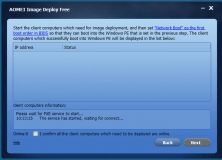


Image deployment tool that helps quickly install a system image of multiple PCs.
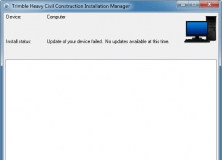

This program installs the application updates and licenses to your controller.